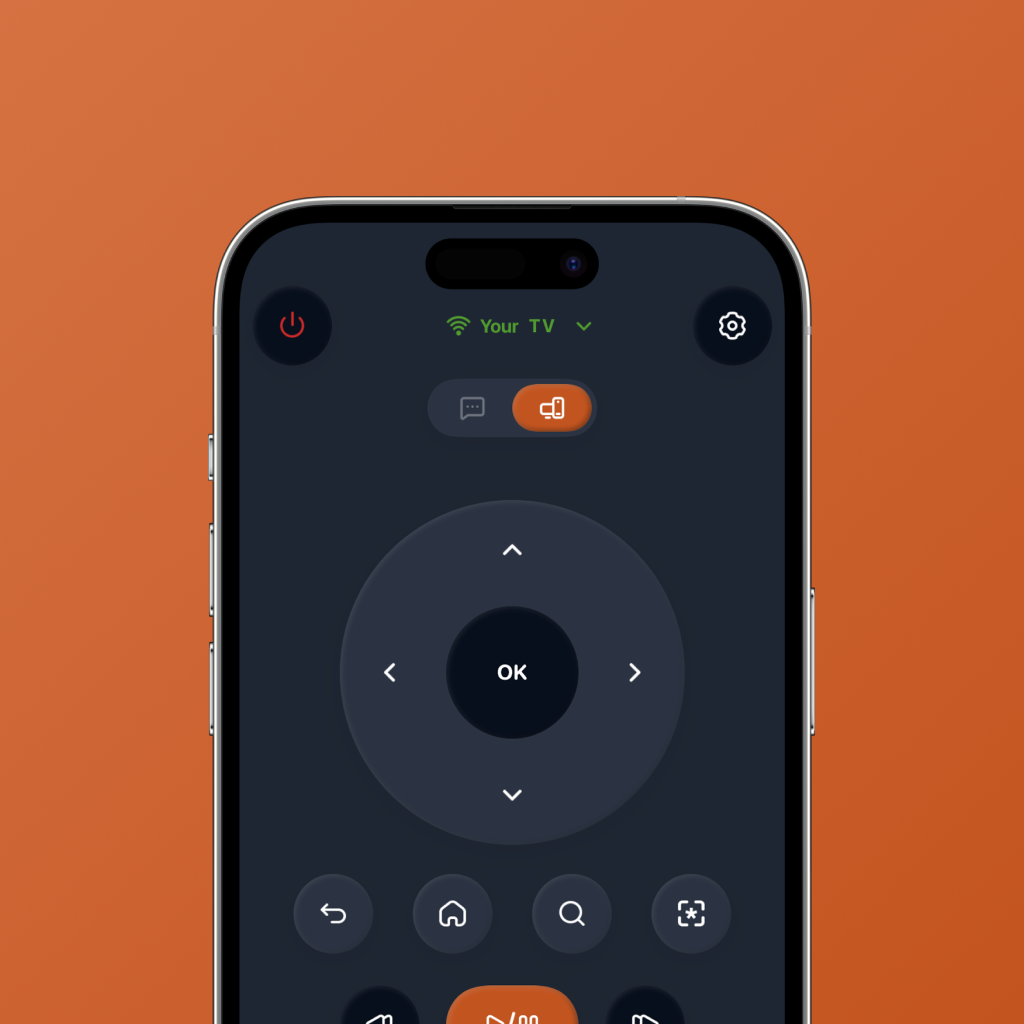
Android TV is flexible. The remote experience can still feel slow.
Android TV and Google TV devices are great for streaming because they bring apps, search, recommendations, and playback into one TV experience. But controlling that experience with a small physical remote can still feel clunky.
Typing on a TV keyboard is slow. Switching between apps can take too many clicks. Searching for a movie or show can feel awkward. And even after you open the right app, you may still spend more time browsing than watching.
That is why people search for a TV remote app for Android. The goal is not just to replace a missing remote. It is to make the whole streaming flow easier from the phone already in your hand.
Android TV gives you lots of choices. A smarter remote app should help you control, search, switch, and decide faster.
What should a TV remote app for Android actually do?
A basic Android TV remote app handles navigation and playback. That is useful, especially when the physical remote is missing. But streaming-first homes need more than a digital D-pad.
The best TV remote app for Android TV should make common TV actions feel faster: opening apps, searching for titles, navigating cleanly, and getting to something worth watching.
Clean TV controls
Navigation, playback, back, home, search, and volume should be easy to reach without making the screen feel crowded.
Fast streaming app launch
You should be able to open Netflix, Prime Video, YouTube, Apple TV, and other apps without digging through the TV home screen every time.
Easier search
TV search is often the slowest part of the experience. A phone remote should make search feel less painful.
Streaming-first shortcuts
The app should be built around modern TV behavior: apps, search, pause, resume, browse, switch, and play.
AI watch picks
When you do not know what to watch, your remote app should help you decide instead of leaving you stuck in endless browsing.
Simple daily use
The best TV remote app for Android-style streaming should feel like a shortcut, not another complicated control panel.
Physical remote vs basic Android TV remote app vs FlykMote
A physical remote handles the basics. A basic Android TV remote app gives you phone-based control. FlykMote is designed to make the full streaming flow faster.
| Need | Physical remote | Basic remote app | FlykMote |
|---|---|---|---|
| Control Android TV | Yes | Yes | Yes |
| Use your phone as a remote | No | Yes | Yes |
| Launch streaming apps quickly | Limited | Sometimes | Yes |
| Reduce TV search friction | No | Sometimes | Yes |
| AI movie and TV recommendations | No | No | Yes |
| Built for streaming behavior | No | Rarely | Yes |
Why FlykMote makes sense for Android TV-style streaming
FlykMote is designed around how people actually watch TV now: open an app, search for a title, switch between services, pause, resume, browse, and try to decide what is worth playing.
Instead of only replacing physical remote buttons, FlykMote combines smart TV remote controls, faster streaming app access, easier search, and AI-powered movie and TV show recommendations.
That makes it useful for Android TV and Google TV-style streaming setups where the phone can become a cleaner, smarter control surface.
A physical remote controls Android TV. FlykMote helps your phone control, search, launch, choose, and get to watching faster.
Who should use a TV remote app for Android TV like FlykMote?
FlykMote is useful if your Android TV or Google TV-style experience usually slows down before the show starts.
- You want to control Android TV or Google TV-style devices from your phone.
- You hate typing with a physical TV remote.
- You switch between Netflix, Prime Video, YouTube, Apple TV, and other streaming apps.
- You want faster access to the apps you actually use.
- You want a cleaner phone remote for TV navigation and playback.
- You want AI-powered movie and TV show recommendations when you do not know what to play.
So, should you use FlykMote as your TV remote app for Android?
If you only need basic controls when your remote is missing, a simple remote app may be enough.
But if your TV time is mostly streaming, searching, switching apps, and deciding what to watch, a smarter remote app can save time and reduce friction.
That is where FlykMote fits: a smart TV remote app for Android TV and Google TV-style streaming flows, with clean controls, streaming shortcuts, and AI watch picks in one simple experience. Compatibility may vary by TV model, network setup, and device permissions.