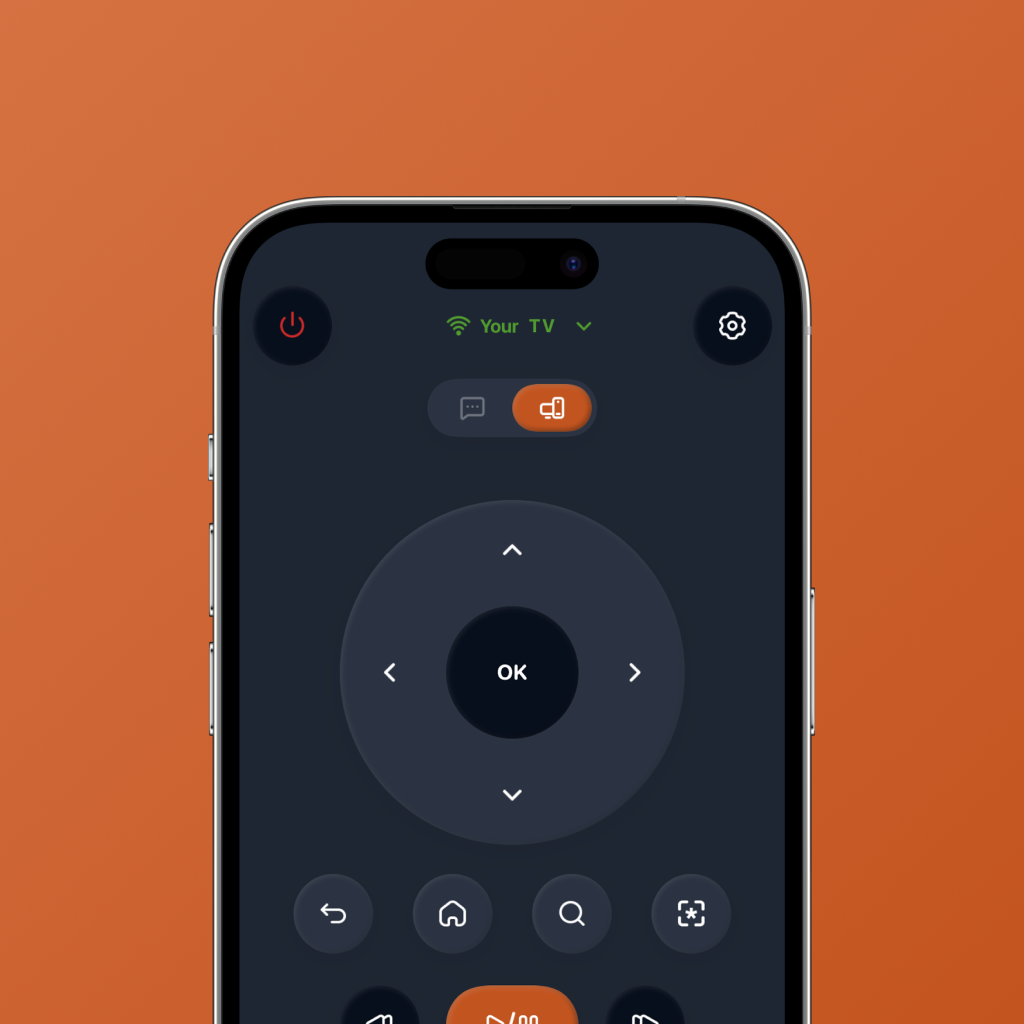
Yes, there are apps that can work as a TV remote.
In many cases, your phone can become your TV remote. If your TV or streaming device supports phone-based remote control, an app can help you move around the TV interface, go back, open home, pause, play, search, and control your viewing flow.
That means you may not need to hunt for a lost remote, buy a replacement remote, or keep using a slow on-screen keyboard with a D-pad.
The exact experience depends on your TV model, streaming device, network setup, and the app you use. But the idea is simple: the phone you already have can become a smarter way to control your TV.
Yes, there is an app for TV remote control. FlykMote is built for people who want that remote experience to feel better for modern streaming.
What can a TV remote app do?
A basic TV remote app can replace common remote controls. A better TV remote app can make the whole streaming experience feel faster.
Instead of only copying physical buttons onto your phone, a smart remote app should help with the things people actually do on TV now: open streaming apps, search for titles, pause, resume, switch services, and decide what to watch.
Basic TV control
Navigate, go back, open home, play, pause, and move around your TV interface from your phone.
Streaming app launch
Open the apps you use most without digging through the TV home screen every time.
Search support
Reduce the pain of searching with a physical TV remote and slow on-screen keyboard.
Phone-first control
Use the device already in your hand instead of hunting for a remote across the room.
AI watch picks
Get movie and TV show recommendations when you are stuck browsing and do not know what to play.
Streaming-first flow
Make control, search, app switching, and watching feel like one connected experience.
When is a TV remote app better than a physical remote?
A TV remote app can be better when the problem is not just “I need buttons.”
If your physical remote is lost, typing is slow, app switching is annoying, or you spend more time browsing than watching, a phone remote app can solve more of the actual problem.
A physical remote is still useful for simple control. But for streaming, your phone has advantages: it is usually nearby, it can support richer interactions, and it can improve through software instead of staying the same forever.
What should you check before using a TV remote app?
Before using any TV remote app, check whether your TV or streaming device is compatible. Many phone remote apps require your phone and TV to be on the same Wi-Fi network, and some devices may need permissions or pairing before controls work.
You should also check whether the app supports the controls you care about. Basic navigation is useful, but streaming app access, search, playback, and watch recommendations can make the experience feel much more complete.
Compatibility can vary by TV model, streaming device, network setup, and device permissions. FlykMote is designed for compatible smart TV and streaming device setups.
Physical TV remote vs FlykMote
A physical remote is still good at basic TV control. FlykMote is designed for the wider streaming journey: control, search, app launch, and watch decisions.
| Need | Physical TV remote | FlykMote |
|---|---|---|
| Basic TV control | Good for power, volume, navigation, and playback | Built for phone-based basic & advanced TV controls |
| Always nearby | Easy to misplace, lose, or leave across the room | Lives on the phone you already use |
| Typing and search | Slow with a D-pad and TV keyboard | Designed to reduce search friction from your phone |
| Streaming app launch | Usually limited to a few buttons or TV home navigation | Built around quick access to streaming apps |
| Deciding what to watch | Does not help | AI-powered movie and TV show picks based on mood |
| Remote clutter | Adds another object to keep track of | Turns your phone into the control surface |
| Long-term usefulness | Hardware stays mostly the same | Software can keep improving with new features |
| Best for | Basic TV control | Streaming, search, app launch, and watch decisions |
Why FlykMote is more than a remote app
FlykMote is not just trying to copy your physical remote onto your phone.
It is designed around how people actually watch TV today: opening streaming apps, searching for titles, switching services, pausing, going back, and trying to decide what to watch.
That is why FlykMote combines smart TV remote controls with streaming shortcuts and AI-powered movie and TV show recommendations.
Your phone can be the remote. FlykMote makes it smarter for streaming, search, and choosing what to watch.
So, is there an app for TV remote control?
Yes. A TV remote app can let your phone control your TV or streaming device, depending on compatibility.
If you only need simple controls, a basic remote app may be enough. But if your TV time is mostly streaming, searching, switching apps, and deciding what to watch, FlykMote is built for that bigger job.
It turns your phone into a smart TV remote for the way people actually watch now: app-first, streaming-first, and decision-heavy.