First: don’t buy a new remote yet.
If you lost your TV remote, the instinct is usually to search for a replacement remote immediately. That can work, but it may not be the fastest option.
Today, many TVs and streaming devices can be controlled from a phone. So before ordering another physical remote, it is worth checking whether your phone can become the remote you need right now.
And if your real problem is not just “I need buttons,” but “I want to get to Netflix, Prime Video, YouTube, Apple TV, or something worth watching faster,” a smart TV remote app may solve more than a replacement remote.
If you lost your TV remote, check the obvious places first. If it still does not turn up, your phone may be the quickest backup remote.
Lost TV remote checklist: what to try first
Before you spend money on a replacement, run through the quick checks that usually solve the “lost remote for TV” panic.
- Check between couch cushions, under blankets, and below pillows.
- Look near side tables, coffee tables, desks, and charging spots.
- Check the kitchen, bedroom, bathroom, or anywhere you may have carried it accidentally.
- Replace the batteries if you found the remote but it is not responding.
- Restart the TV or streaming device if the remote seems connected but unresponsive.
- Check whether your phone can be used as a TV remote.
- Use a smart TV remote app if your TV or streaming device is compatible.
Can you use your phone if you lost your TV remote?
In many cases, yes. If your TV or streaming device supports phone-based remote control, your phone can become a remote for navigation, playback, search, and app access.
This is especially useful when your physical remote is missing and you just want to open a streaming app, pause something, search for a title, or get movie night started without waiting for a replacement remote.
Compatibility can vary by TV model, streaming device, network setup, and permissions. Many remote app experiences require your phone and TV to be on the same Wi-Fi network.
Fast backup
Your phone can be the quickest way to control the TV when the physical remote disappears.
Less hunting
Instead of searching the room again, use the device that is probably already in your hand.
Better for streaming
A phone remote can help with app launch, search, playback, and modern TV navigation.
More useful over time
Unlike a physical remote, an app can keep improving with better shortcuts and smarter features.
When is a TV remote app better than buying another remote?
A replacement remote can solve the basic problem of control. But it may not solve the bigger problem of how TV works now.
Most people are not just changing channels anymore. They are opening streaming apps, typing titles, jumping between services, pausing, searching, browsing, and trying to decide what to watch.
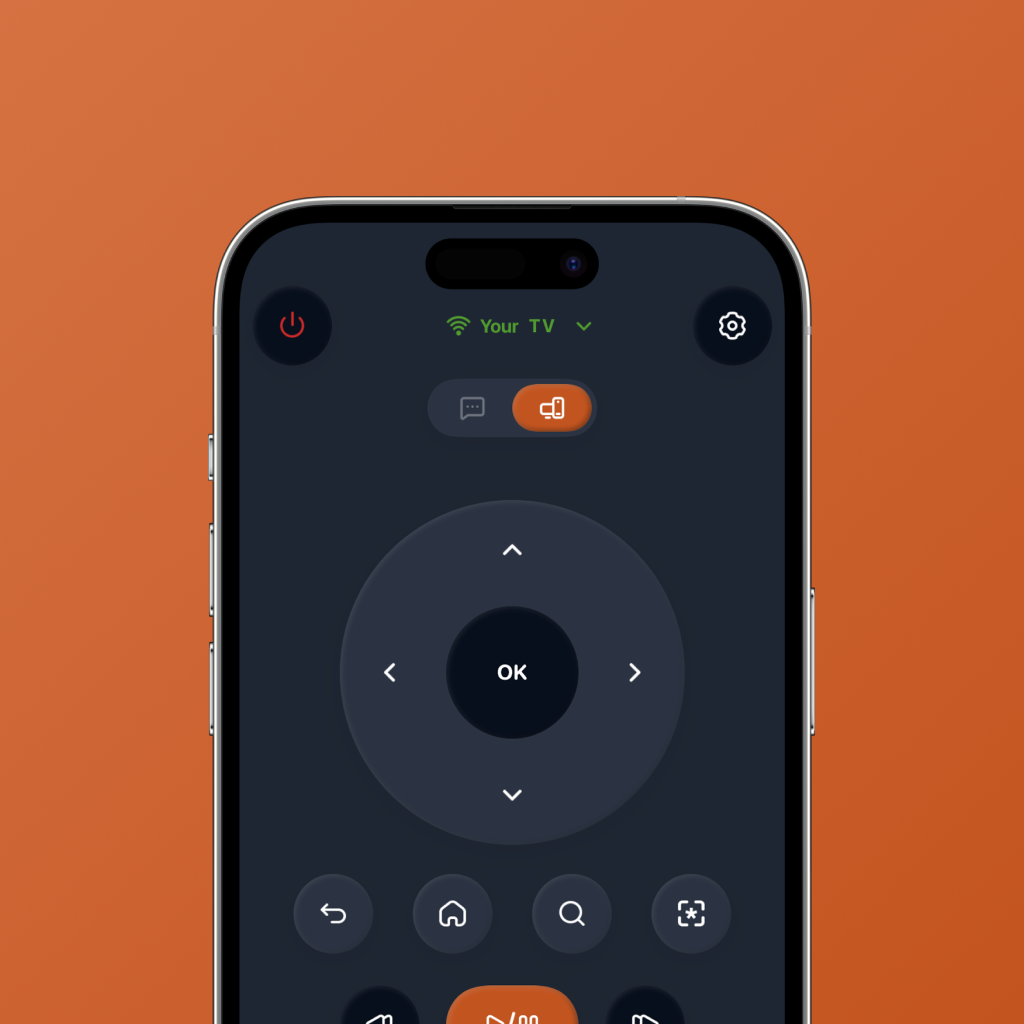
If your TV time is mostly streaming-first, a smart TV remote app like FlykMote can be more useful than simply buying another physical remote.
If you only need power and volume, a replacement remote may be enough. If you want faster streaming, easier search, and help choosing what to watch, your phone can do more.
Physical TV remote vs FlykMote
A physical remote is still good at basic TV control. FlykMote is designed for the wider streaming journey: control, search, app launch, and watch decisions.
| Need | Physical TV remote | FlykMote |
|---|---|---|
| Basic TV control | Good for power, volume, navigation, and playback | Built for phone-based basic & advanced TV controls |
| Always nearby | Easy to misplace, lose, or leave across the room | Lives on the phone you already use |
| Typing and search | Slow with a D-pad and TV keyboard | Designed to reduce search friction from your phone |
| Streaming app launch | Usually limited to a few buttons or TV home navigation | Built around quick access to streaming apps |
| Deciding what to watch | Does not help | AI-powered movie and TV show picks based on mood |
| Remote clutter | Adds another object to keep track of | Turns your phone into the control surface |
| Long-term usefulness | Hardware stays mostly the same | Software can keep improving with new features |
| Best for | Basic TV control | Streaming, search, app launch, and watch decisions |
When should you still buy a replacement TV remote?
You should still buy a physical replacement remote if your TV does not support phone remote apps, if you strongly prefer tactile buttons, or if your household needs one shared remote that always stays near the TV.
A physical remote can also make sense for people who want something simple, dedicated, and always available without opening an app.
But if your biggest frustration is streaming friction — search, app switching, browsing, and deciding what to watch — FlykMote is designed for that problem.
Why FlykMote helps when the remote is missing
FlykMote is built around a simple idea: your phone should not just replace your remote. It should make the TV experience feel faster.
That means clean phone-based TV controls, quick access to streaming apps, easier search, and AI-powered movie and TV show recommendations when you are stuck browsing.
So if you lost your TV remote, FlykMote can be more than a backup. It can become the smarter way to control your TV.
A replacement remote gets your buttons back. FlykMote helps your phone get you to something worth watching.
So, what should you do if you lost your TV remote?
First, check the usual places. If the remote is truly gone, see whether your phone can control your TV or streaming device.
If all you need is basic control, a replacement remote may work. But if your TV time is mostly streaming, searching, app switching, and choosing what to watch, a smart TV remote app may be the better option.
That is where FlykMote fits: a smarter TV remote app for phone-based control, streaming shortcuts, search, and AI watch picks. Compatibility may vary by TV model, network setup, and device permissions.