Google TV is great for streaming. The remote experience can still feel slow.
Google TV brings streaming apps, recommendations, search, and browsing into one TV experience. But when you are controlling everything with a small physical remote, simple actions can still feel slower than they should.
Typing a title, switching between apps, going back and forth through menus, and deciding what to watch can turn into a long browsing loop.
That is why people search for a Google TV remote app. They do not just want another remote. They want a faster way to control the TV from the phone already in their hand.
A better Google TV remote app should reduce the friction between opening the TV and actually watching something.
What should a Google TV remote app alternative do?
Basic remote controls matter. But for streaming-first TV use, the best remote app should help with the full flow: control, search, app launch, and choosing what to watch.
That is where a smarter remote app can feel more useful than simply recreating your physical remote on a phone screen.
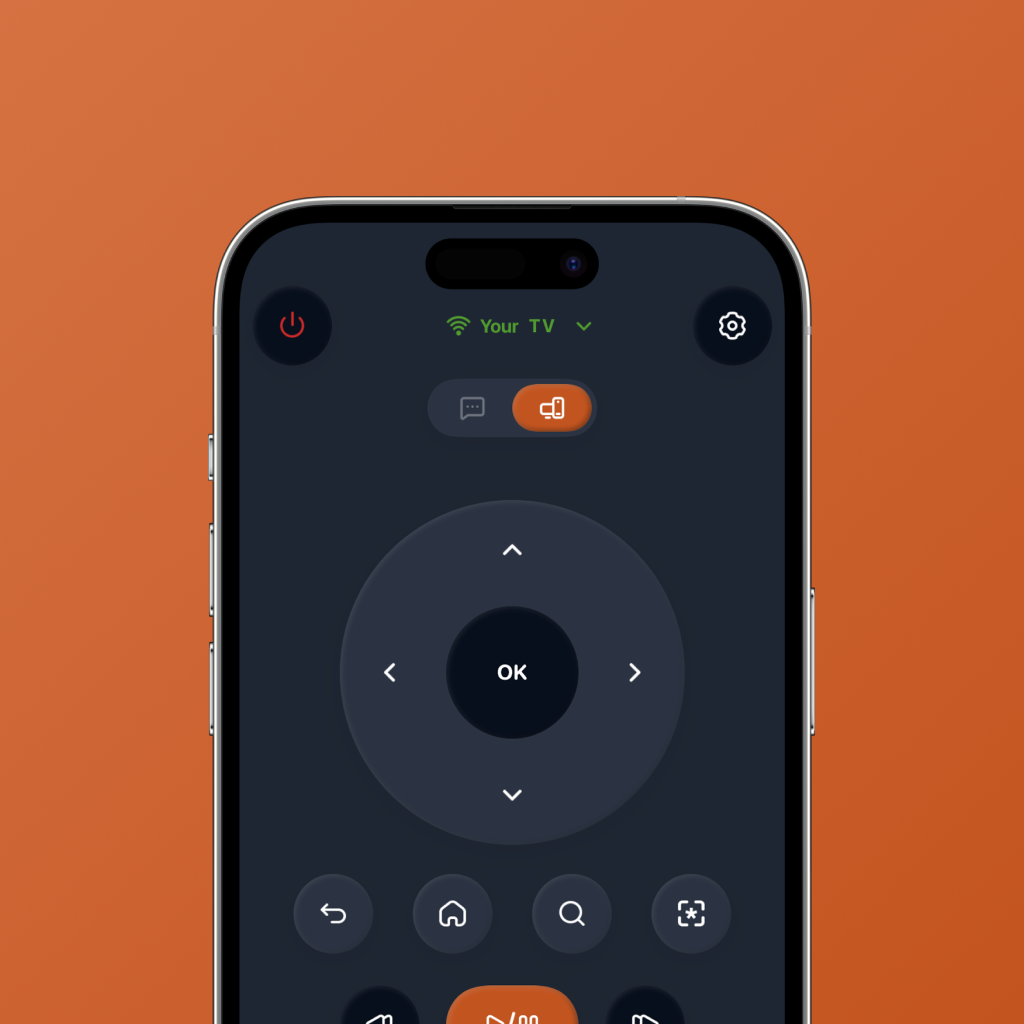
Clean TV controls
Navigation, playback, back, home, and volume should be simple enough to use every day.
Fast app access
Opening Netflix, Prime Video, YouTube, Apple TV, and other streaming apps should feel quicker than digging through the TV home screen.
Easier search
Search is one of the most painful parts of TV navigation. A phone remote should make finding a movie or show feel less clunky.
Streaming-first shortcuts
The app should be built around how people actually watch TV now: apps, search, pause, resume, browse, switch, and play.
AI watch picks
If you do not know what to watch, your remote app should help you decide instead of leaving you stuck in endless browsing.
Simple daily use
The best Google TV remote app alternative should feel like a shortcut, not another dashboard to manage.
Physical remote vs basic Google TV remote app vs FlykMote
A physical remote handles the basics. A basic phone remote can help when the remote is missing. FlykMote is designed for the full streaming flow.
| Need | Physical remote | Basic remote app | FlykMote |
|---|---|---|---|
| Control the TV | Yes | Yes | Yes |
| Use your phone as a remote | No | Yes | Yes |
| Launch streaming apps quickly | Limited | Sometimes | Yes |
| Reduce TV search friction | No | Sometimes | Yes |
| AI movie and TV recommendations | No | No | Yes |
| Built for streaming behavior | No | Rarely | Yes |
Why FlykMote makes sense for Google TV-style streaming
FlykMote is designed around the way people actually use TVs now: open an app, search for something, switch apps, pause, browse, and try to agree on what to watch.
Instead of only replacing physical remote buttons, FlykMote combines smart TV remote controls, fast streaming app access, and AI-powered movie and TV show recommendations.
That makes it a practical Google TV remote app alternative for people who want the phone remote experience to feel faster, cleaner, and more useful.
Google TV helps you browse. FlykMote helps you control, search, choose, and get to watching faster.
Who should look for a Google TV remote app alternative?
FlykMote is useful if your TV experience usually slows down before the show even starts.
- You want to control your TV from your iPhone.
- You use Google TV or Android TV-style streaming flows.
- You hate typing with a physical TV remote.
- You switch between Netflix, Prime Video, YouTube, Apple TV, and other streaming apps.
- You want faster access to the apps you actually use.
- You want AI-powered watch picks when you do not know what to play.
So, should you use FlykMote as your Google TV remote app alternative?
If you only need basic navigation once in a while, a simple remote app might be enough.
But if your TV time is mostly streaming, searching, switching apps, and trying to decide what to watch, a smarter phone remote experience makes more sense.
That is where FlykMote fits: a smart TV remote app that combines controls, streaming shortcuts, and AI watch picks in one simple experience. Compatibility may vary by TV model, network setup, and device permissions.