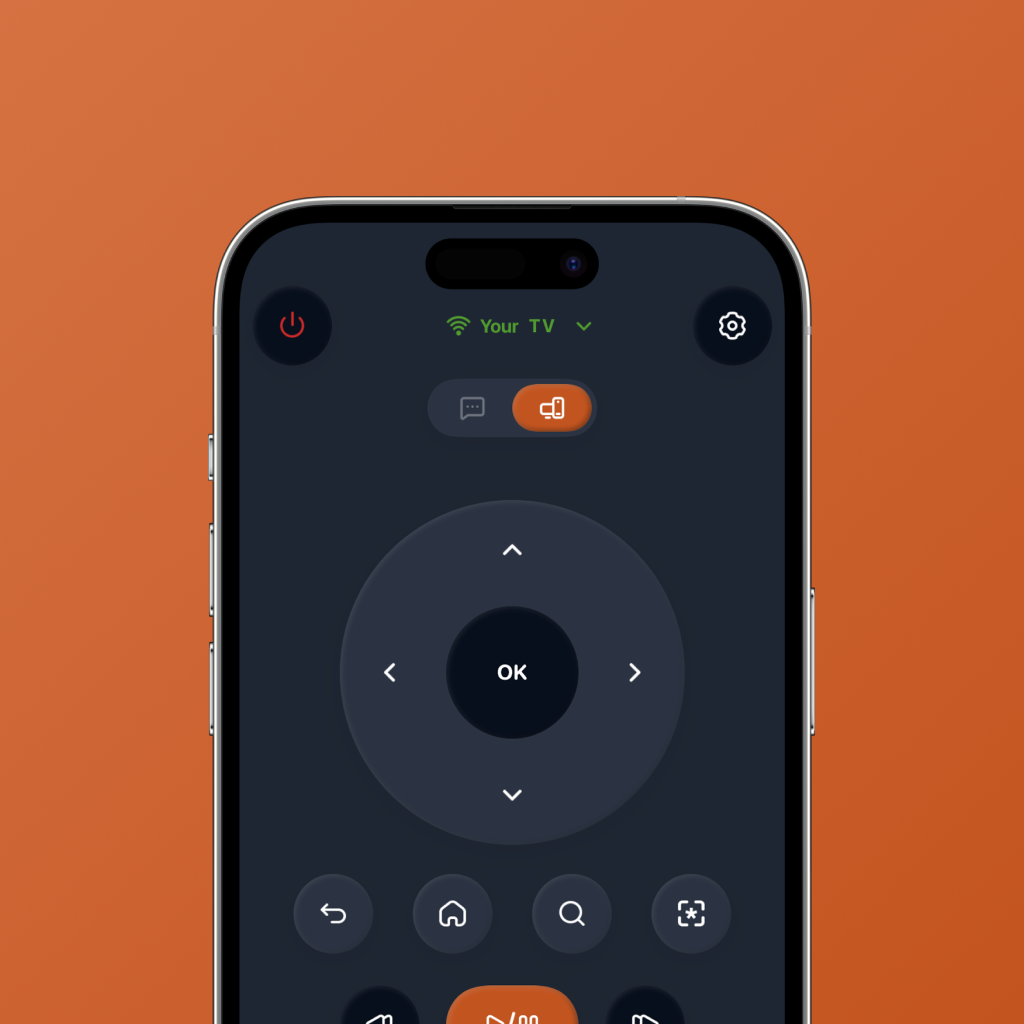
Your iPhone can be a better TV remote than the one on your table.
A physical TV remote is useful until it disappears, runs out of battery, gets stuck between cushions, or makes you type one painful letter at a time on the TV screen.
That is why many people search for a free TV remote app for iPhone. The goal is simple: use the phone you already have as a remote for your TV, without making the experience feel complicated.
But the best iPhone TV remote app should do more than copy buttons. It should make your streaming setup faster, cleaner, and easier to use.
Your iPhone is not just a backup remote. It can become the main control layer for streaming, search, app launch, and choosing what to watch.
What should a free TV remote app for iPhone actually do?
A basic TV remote app is helpful when your physical remote is missing. But a great remote app should solve the everyday annoyances that happen before you actually start watching.
For streaming-first homes, that means fast controls, less typing friction, and shortcuts that get you into the right app faster.
Simple TV controls
Navigation, playback, back, home, volume, and basic controls should be easy to use from your iPhone.
Fast streaming app access
You should be able to jump into your favourite apps without digging through your TV home screen every time.
Less painful search
Typing with a physical remote is slow. A phone remote should make search feel less like a chore.
Streaming-first layout
The interface should be designed for how people watch now: apps, search, playback, switching, and browsing.
Help deciding what to watch
Sometimes the blocker is not the remote. It is choosing a movie or show. AI watch picks can make that easier.
Easy enough for daily use
The best TV remote app for iPhone should feel faster than reaching for the physical remote.
Physical remote vs basic iPhone remote app vs FlykMote
A physical remote gets the basics done. A basic iPhone remote app gives you a backup. FlykMote is designed to make the whole streaming flow smoother.
| Need | Physical remote | Basic iPhone app | FlykMote |
|---|---|---|---|
| Control the TV | Yes | Yes | Yes |
| Use your iPhone as a remote | No | Yes | Yes |
| Launch streaming apps quickly | Limited | Sometimes | Yes |
| Reduce TV search friction | No | Sometimes | Yes |
| AI movie and TV recommendations | No | No | Yes |
| Built for streaming behavior | No | Rarely | Yes |
Why FlykMote makes sense as an iPhone TV remote app
FlykMote is designed around a simple idea: your phone should not just replace your remote, it should make the whole TV experience feel faster.
That means clean remote controls, quicker access to streaming apps, less friction around search, and AI-powered movie and TV show recommendations when you are stuck browsing.
Instead of treating the iPhone as a backup remote, FlykMote treats it as the smartest control surface in the room.
A physical remote helps you control the TV. FlykMote helps your iPhone get you to something worth watching.
Who should use a free TV remote app for iPhone?
FlykMote is useful if your TV time usually starts with small but annoying friction.
- You keep losing your physical TV remote.
- You want to use your iPhone as a TV remote.
- You hate typing with TV controls.
- You switch between Netflix, Prime Video, YouTube, Apple TV, and other streaming apps.
- You want faster access to the apps you actually watch.
- You want AI-powered movie and TV recommendations when you do not know what to play.
So, should you use your iPhone as a TV remote?
If you only need basic controls once in a while, a simple TV remote app might be enough.
But if your TV time is mostly streaming, searching, switching apps, and deciding what to watch, your iPhone can do more than act like a backup remote.
That is where FlykMote fits: a smart TV remote app for iPhone that combines remote controls, streaming shortcuts, and AI watch picks in one simple experience.